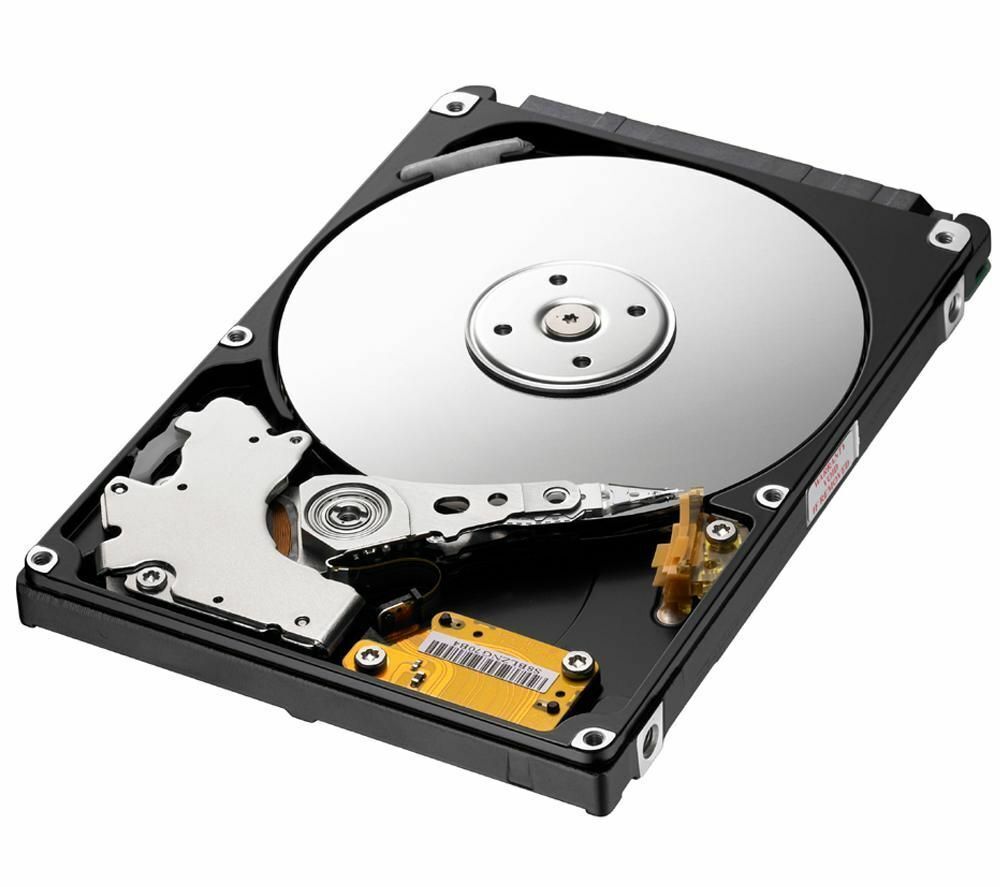
An HDD (Hard Disk Drive) is a type of permanent storage that keeps data on magnetic disks inside it. It is used mainly in computers, portable music players, video cameras and game consoles.
A standard hard drive (HDD) has two main components:
- Mechanical component
- Electronic component
The mechanical component itself has 3 parts:
- Magnetic platter: a double-sided aluminium disk coated with a magnetic layer on both sides. This is where the data is stored. During reading or writing the platters are kept spinning by a special motor called the spindle motor. The rotation speed depends on the manufacturer and model, usually between 5400 and 15000 revolutions per minute.
- Read/write head: a second motor moves it quickly from side to side so it can work on any point of the spinning platter. There are heads both above and below the platter, so data can be written to and read from both sides. The head must never touch the platter. Even a speck of dust or debris getting between the head and the platter can cause a short or damage the data on the platter. That is why hard drives should never be taken apart at home, and data recovery should be trusted only to professionals.
The electronic component is the second main part, needed to send, receive and process data accurately without loss, and it consists of a single circuit board. The board carries a signal microprocessor and a small cache memory chip that speed up data transfer and storage.
Trying to take apart or repair a hard drive at home can permanently damage your data and make recovery impossible!
Key facts about hard drives:
- Technologies: Magnetic storage technology has dominated permanent storage for many years. Magnetic disks and optical storage (CD/DVD) are also considered good options for storing large amounts of data professionally.
- Physical size: Over the last 50 years, hard drives have shrunk dramatically in physical size, just as their capacity has changed. The first hard drive computer, RAMAC (Random Access Method of Accounting and Control), built by IBM in 1956, was the size of two household refrigerators, while today's hard drives take up no more than 10–15 square centimetres. In most laptops the drive is only about 6–7 cm across.
- Interface: It connects the drive's circuit board to the magnetic platters and makes sure data is processed accurately and sent and received quickly. It can be called the core component of every hard drive. There are the following interface types:
ATA/IDE: It was widely used in all computers until 2005. Today it has been replaced by the SATA interface.
SATA (Serial ATA): Since 2005 it has been the most widely used interface type. Its main difference from the others is its high speed.
SCSI (Small Computer System Interface): With this interface a hard drive can be connected to various peripheral devices through an adapter or SCSI controller.We will cover interfaces in more detail in other posts on our blog.
How is data stored on a hard drive?
A hard drive performs two operations:
writing and reading
- During writing, electric current passes through the head and changes the magnetic field at specific points of the platter between the head's two ends. This is based on the law of hysteresis in ferromagnetic materials. A point with a magnetic field is read as a logical 1, and a point without one as a logical 0. The computer carries out this process at high speed, working on thousands of points per second.
- During reading the process works the other way round: the magnetic platter induces an electric current in the read head, and the resulting "1" or "0" signals are sent to the computer through the drive's circuit board.